Help Center › Getting started
Use your Agent Skills in Claude Code, ChatGPT, and Cursor
Availability: All plans. Each member connects with their own account.
You can use your team's Agent Skills in more than Claude. The same MCP connector works in Claude Code, ChatGPT, and Cursor — so the skill your team improved on Monday runs identically in every tool on Tuesday.
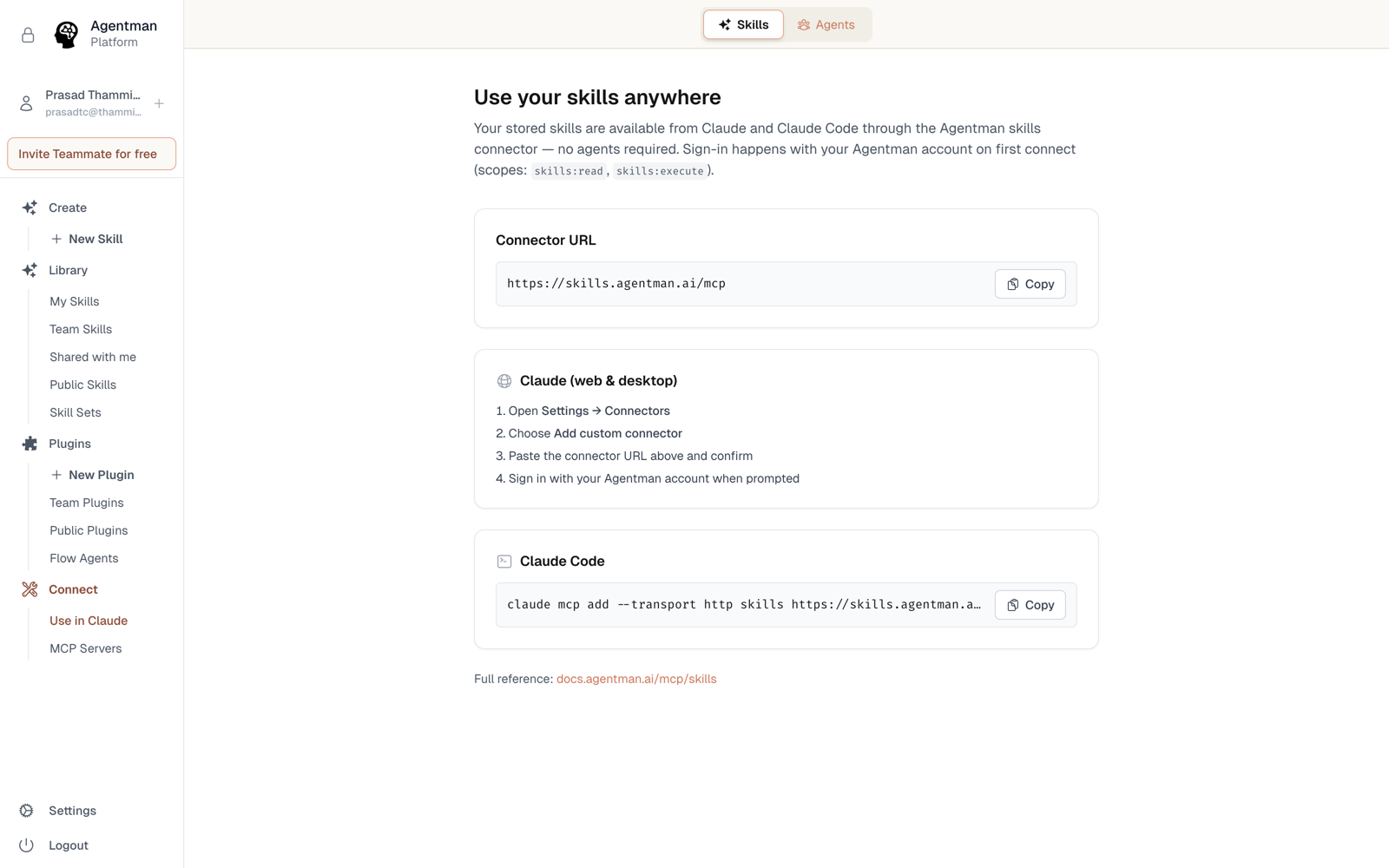
Everything below uses the same connector URL:
https://skills.agentman.ai/mcp
Claude Code
- In Agentman, open Skills → Use Your Skills Anywhere and copy the Claude Code snippet — it's a single
claude mcp add …command. - Paste it into your terminal.
- Authenticate when prompted. Your library is now available in every Claude Code session.
ChatGPT
- Add the connector URL in ChatGPT's connector settings.
- Approve the OAuth consent with your Agentman account.
- ChatGPT gets a dedicated interactive skills explorer, so you can browse and run the library visually in the conversation.
Cursor
- Add the connector URL to Cursor's MCP configuration.
- Authenticate with your Agentman account.
- Your skills — procedures, review standards, templates — are available while you code.
One library, every tool
Because every tool reads from the same library, there's no copy drift: improve the skill once, publish, and Claude, ChatGPT, Cursor, and your Agentman agents all pick up the new version. Permissions follow your login everywhere, including use-only redaction.
More than one workspace?
If your team runs a workspace per client, matter, or project and your tool allows only one connection per URL, use the identical alternate endpoints — https://skills2.agentman.ai/mcp and https://skills3.agentman.ai/mcp — one per workspace. See Connect your skills library to Claude for how this works.
Availability
All plans. Each member connects each tool with their own account.