Help Center › Getting started
Use Claude Skills with your team: connect your library to Claude
Availability: All plans. Each member connects with their own account.
You can use every skill in your team library right inside Claude. One MCP connection puts the library in your chat — the skills you built, the skills teammates shared with you, all governed by the same permissions.
Connect Claude (web or desktop)
-
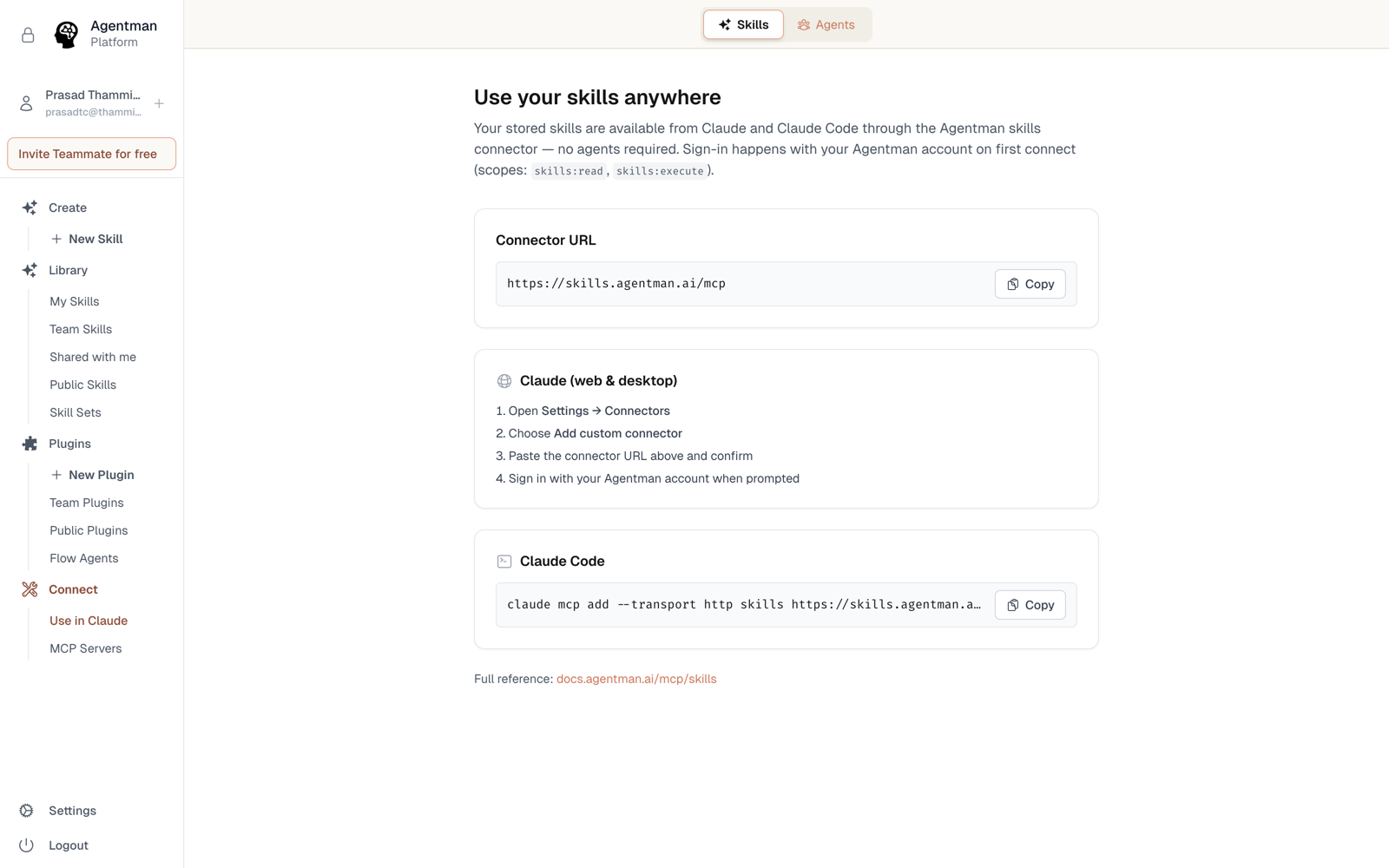
In Agentman, open Skills → Use Your Skills Anywhere. Your connector URL is:
https://skills.agentman.ai/mcp -
In Claude, open Settings → Connectors → Add custom connector.
-
Paste the connector URL and add it.
-
Approve the OAuth consent when Claude asks — you're granting scopes like
skills:readandskills:executeto your own account. No shared secrets, and an admin can revoke any member's connection.
What you can do once connected
- Find and run skills — Claude can list your library, search it semantically ("how do we screen a deal?"), open a skill, and apply it to the task at hand.
- Browse visually — the Skills Explorer widget renders your library inside the chat.
- Author back into the library — describe a new skill and Claude creates it in your library, validation included.
- Use skill sets — bundled collections work from Claude too.
Permissions follow you
Claude sees exactly what your workspace login is allowed to see. If a skill was shared with you use-only, Claude can apply it for you — but neither you nor Claude can read its instructions. Nothing about connecting an AI tool widens your access.
Connect more than one workspace
Many teams run one workspace per client, matter, project, or functional stream — it's the cleanest confidentiality boundary. Claude allows only one connector per URL, so we provide three identical endpoints:
https://skills.agentman.ai/mcp
https://skills2.agentman.ai/mcp
https://skills3.agentman.ai/mcp
Add each as its own custom connector in Claude, and when you approve its OAuth consent, sign in to the workspace you want that connector to serve. Claude then holds a side-by-side connection per workspace — your Client A skills and Client B skills stay in separate libraries, each with its own permissions and logs, and both available in your chat.
Availability
All plans. Every team member connects individually with their own OAuth consent.