

Run a whole quarter of content from one calendar
Fan out each calendar entry into per-channel deliverables through skill stacks.
One brand-voice skill, stacked with a content skill and a format skill, makes every blog, deck, email, and LinkedIn post sound like you. Learn skill stacking — the composition technique — and run it in Claude.
Free to try. One click loads the skill into Claude or ChatGPT, with no account and no setup.
Ask an AI to “write a blog post” and you get competent, generic prose that sounds like everyone else — because the model has no idea what you sound like. Paste your style guide into every prompt and you’re copy-pasting the same instructions forever, and it still drifts.
The fix is to make your voice a reusable input instead of a repeated instruction. Skill stacking does exactly that: a voice skill produces a structured Brand Voice Card once, and every content skill reads it as an input. You stop describing your voice and start composing with it — which is why the output is consistent across every format, every time.
The skill isn’t magic. It encodes a proven framework anyone can learn. Here’s the method itself, so you understand what it’s doing for you.
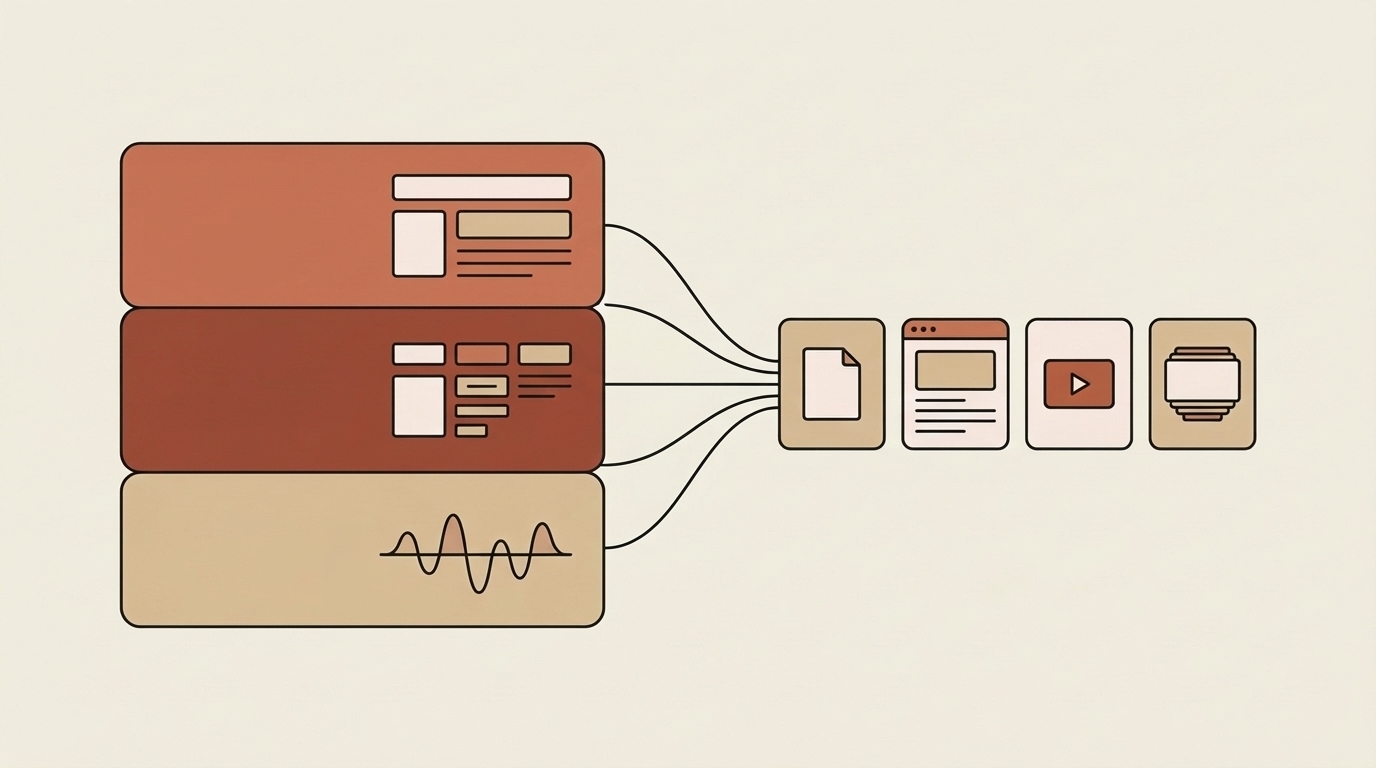
Skill stacking is the idea that skills compose. Instead of one giant do-everything prompt, you layer small, single-purpose skills so each does one thing well and hands its output to the next. The classic stack for content is three layers: a voice skill (how it sounds) × a content skill (blog, post, email) × a format skill (docx, pptx, pdf). Change any layer and the rest still works — swap the content skill and the voice stays; swap the voice and every format updates.
The reason it produces on-brand output is concrete, not hand-wavy: blog-generator’s own description says it requires a brand voice profile as input. So the voice skill isn’t decoration — it’s a literal input the content skill consumes. Generate a Brand Voice Card once, and every content skill you stack it with speaks in that voice. That’s how one voice skill makes every blog, deck, and post sound like the same brand.
Use any one on its own, or chain them. Each hands its output to the next. Every one is free in the public library.
The voice layer — produces a Brand Voice Card that every content skill reads as input, so everything sounds like you.
The content layer for long-form — it explicitly takes a brand voice profile as input, so blogs come out on-brand.
The content layer for social — same voice, different format and length.
A content skill you can stack in for pages you want AI answer engines to cite — voice plus citability.
Any time you publish across more than one format or channel and want it all to sound like one brand. The more surfaces you cover — blog, social, email, decks — the more a shared voice layer pays off.
It solves the “everything we publish sounds slightly different” problem. Capture your brand voice once, then stack it under any content skill — blog, LinkedIn post, email sequence, case study — and every output speaks in that voice. Add a format skill on top and it comes out as a doc, deck, or PDF, still on-brand.
The unit isn’t a single skill — it’s the stack. Voice × content × format, composed in one ask. It’s the same pattern our own marketing team runs, and it’s what turns a pile of skills into a repeatable content engine.
Real prompts, and what the skill hands back.
“Here’s our Brand Voice Card. Use it with the blog generator to write a 1,200-word post on prior-authorization automation.”
An on-brand blog post — the content skill reads your voice profile as input, so it sounds like you, not like a generic AI.
“Same voice — now give me five LinkedIn posts and an email sequence from that post.”
The same voice restacked under the social and email content skills — one brand voice, three formats.
Your Brand Voice Card is a literal input content skills consume — not an instruction you retype.
Voice × content × format. Swap any layer and the rest still works.
One voice profile means the blog, the post, and the deck all sound like the same brand.
Each skill does one thing well, so each is easy to improve — better than one brittle mega-prompt.
It’s the exact pattern our own marketing team runs to stay on-brand at volume.
The stack is voice × content × format: brand-voice-generator-v2 produces the voice profile; a content skill (blog-generator, linkedin-post-generator, aeo-blog-generator) consumes it; a format skill ships it. Compose them in one ask.
Scale this across a calendar and you get a content engine — see running a quarter of content through skill stacks.
Capture your voice once, then stack it under any content skill:
Already connected your library to Claude? Tell it: “Use the brand-voice-generator-v2 skill (and the others above) from the agentman_skills MCP server.”
Not connected yet? The Try in Claude / ChatGPT button loads the first one from the public library, with no setup. Or connect your library.
Click “Try in Claude / ChatGPT” above, or — if you’ve connected your library — tell Claude: “Use the brand-voice-generator-v2 skill from the agentman_skills MCP server.”
Run brand-voice-generator-v2 to produce a structured voice profile — tone, vocabulary, rules. Save it; this is the input every content skill will read.
Add blog-generator (long-form), linkedin-post-generator (social), or aeo-blog-generator (citable pages) — and hand it your Brand Voice Card as input.
Now ask for the blog, post, or page. Because the content skill consumes your voice profile, it comes out sounding like you — not like a template.
Stack a Productivity skill (docx, pptx, pdf) on top to ship the piece as a doc, deck, or PDF — still on-brand.
Swap the content skill for the next format; the voice layer stays. One voice, every channel.
Build the brand voice once (see the [brand workflow](/showcase/skills/build-a-brand-from-scratch-in-claude)), and the whole content stack inherits it.
One click loads the skill into Claude or ChatGPT. No account, no setup.
Composing small, single-purpose skills so each does one thing and hands its output to the next. For content, the stack is a voice skill × a content skill × a format skill. Because the content skill takes the voice profile as a literal input, everything you generate sounds on-brand.
No — that’s the point. Generate your Brand Voice Card once and reuse it as the input to every content skill. Swap the content or format layer freely; the voice layer stays.
From brand-voice-generator-v2 for a fast Brand Voice Card, or from the full brand workflow if you’re building the brand from scratch. Either produces a profile the content skills read.
No. Click “Try in Claude / ChatGPT” above and the voice skill loads from our public library — no setup. Clone the skills to customize and share them.
Fan out each calendar entry into per-channel deliverables through skill stacks.
Go from a blank page to a full brand book with seven skills, each feeding the next.