Key Facts
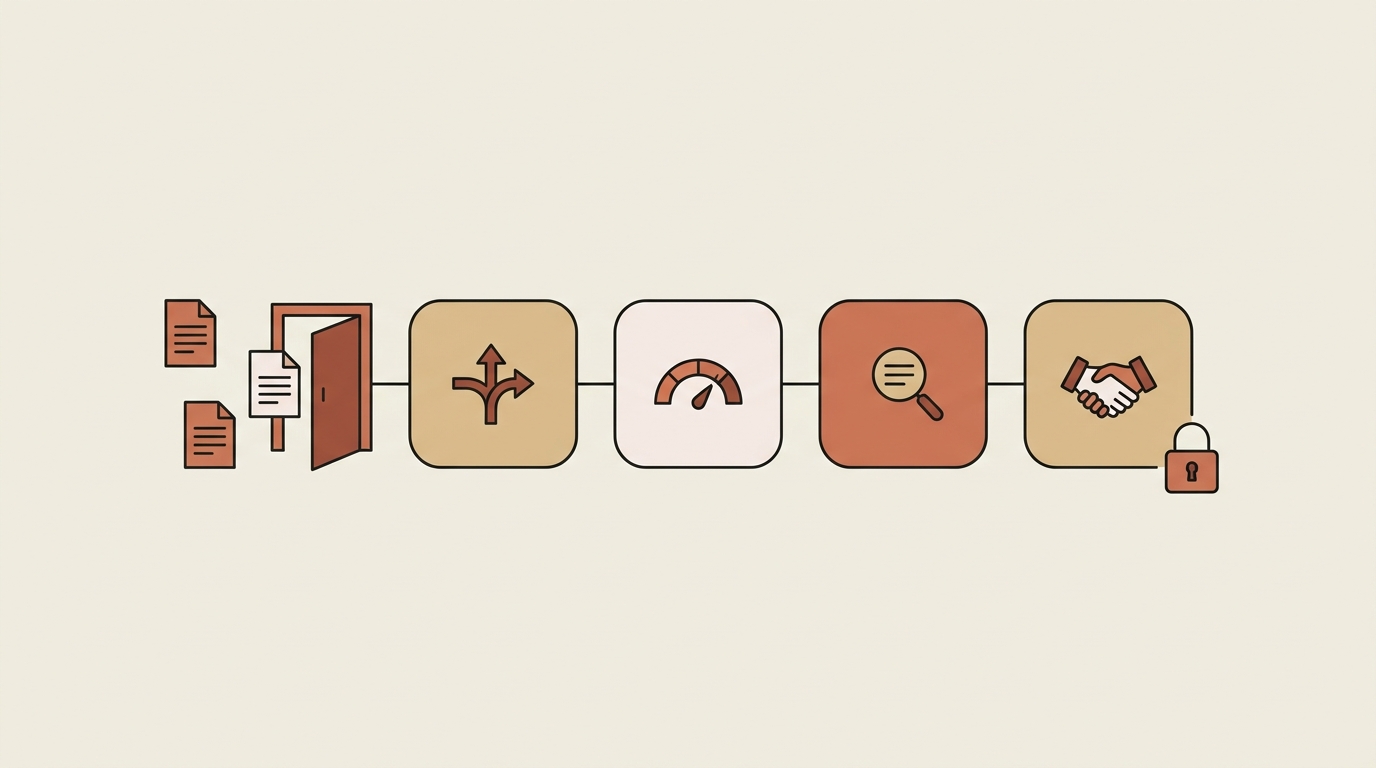
- The public Agent Skills library includes a four-skill legal front door: legal-intake-triager → contract-risk-scorer → contract-analyzer → contract-negotiation-playbook (Agentman system library, 2026).
- The negotiation playbook is the most-used skill of the four — evidence that the bottleneck teams feel first is negotiation authority, not review capacity (Agentman usage data, 2026).
- Each skill ships as a framework you customize with your company's thresholds, approved templates, risk weights, and red lines — the skills carry the method; you supply the positions.
- With use-only sharing, sales and procurement can run legal's playbook without being able to read or copy the positions inside it — and the skill's activity log records every use.
- These are Agent Skills in the same open SKILL.md format you may know as Claude Skills — they run wherever your library is connected.
- The contract skills provide business analysis and process frameworks, not legal advice.
Every in-house lawyer knows the shape of the problem: the queue is full of NDAs and standard MSAs that don't need a lawyer, while the genuinely risky contract waits behind them. The fix isn't more counsel — it's a front door: triage what actually needs legal, score what's risky, analyze what's flagged, and give the business documented positions for everything routine. The public Agent Skills library ships that front door as four chained skills you can run in Claude today.
Table of Contents
- What is a legal front door?
- What does each skill do?
- How do the four skills chain?
- Why share the playbook use-only?
- How do you get these skills?
- Related entities
- Frequently asked questions
- Key takeaways
What Is a Legal Front Door?
A legal front door is a defined intake path where every legal request gets routed, scored, and right-sized before a lawyer touches it. Requests that match approved templates and thresholds self-serve; requests that trip risk criteria go to counsel with the risk work already done. The alternative — every request landing in one inbox at equal priority — is how legal becomes the department of no, and how the risky contract gets the same twenty minutes as the routine one.
The four system skills below implement the pattern end to end. Each one is a framework with the method built in and your company's specifics left deliberately blank — thresholds, templates, risk weights, negotiation positions — so the first thing you do is clone and customize them.
What Does Each Skill Do?
legal-intake-triager — route it or self-serve it
This skill is a decision framework for the first question: does this request need legal review, or can the business handle it? It routes based on rules you customize — your thresholds, your approved templates, your escalation paths. Ask it "does this need legal review?" with the request details and it returns a routing decision with the reasoning attached. Who it's for: legal teams drowning in requests that a well-defined rule could have answered, and business teams tired of waiting for permission they didn't need.
contract-risk-scorer — prioritize before you review
Before anyone reads all ninety pages, this skill scores the contract across quantified risk dimensions so review effort matches actual risk. You customize the dimension weights and your company's risk tolerance; it produces a score that says "fast-track this NDA" or "this indemnification clause earns a full review." Ask it to "score this contract for risk". Who it's for: teams that currently give every agreement the same depth of review because nothing tells them which ones deserve more.
contract-analyzer — the detailed review, structured
For contracts that earn a full pass, this skill brings key-terms extraction patterns, risk identification frameworks, standard clause comparison, and redline recommendation logic. Use it for vendor contract review, customer agreement analysis, or flagging non-standard terms against your paper. Ask it to "analyze this vendor contract" or "compare this against our standard terms". One boundary worth repeating from the skill itself: it provides business analysis, not legal advice — counsel still signs off. Who it's for: anyone doing first-pass review who wants structure instead of a blank highlighter.
contract-negotiation-playbook — positions by clause type
The most-used skill of the four. It's a framework for documenting your company's negotiation positions clause by clause — preferred position, fallback, and red line — so sales and procurement can negotiate standard terms without a lawyer in the room for every round. You encode the positions once; the business applies them consistently. Ask it "what's our position on limitation of liability?" mid-negotiation. Who it's for: every deal desk that currently negotiates from memory, and every lawyer who has answered the same clause question forty times.
How Do the Four Skills Chain?
A request arrives. The triager decides whether it self-serves or goes to counsel. Anything contract-shaped gets risk-scored, so the queue orders itself by exposure instead of arrival time. High scores flow into the analyzer for structured review and redline prep. And when negotiation starts, the playbook keeps every counter grounded in positions legal already approved.
The compounding effect is the point: the triager saves counsel from the routine work, the scorer makes sure saved time goes to the right contracts, the analyzer makes the deep reviews faster, and the playbook prevents half of tomorrow's queue from existing at all — because deals stop stalling on questions the business can now answer itself.
Notice what stays human: judgment. The skills route, score, structure, and recall positions. Counsel decides.
Why Share the Playbook Use-Only?
Here's the tension: the negotiation playbook only works if sales can use it, but the playbook is your negotiating position — fallbacks and red lines included. Hand it out as a document and you've published your bottom line; forward one email and it's outside the company.
This is exactly what use-only sharing is for. Share the playbook use-only and your account team can invoke it in Claude mid-negotiation — "what's our fallback on payment terms?" — while the skill's contents stay unreadable to them: no opening it, no copying it, no walking it to a competitor. Legal keeps edit control, and the activity log records who applied the skill and when, so you have a record of use, not just a hope of discipline.
The same logic applies to the triager and risk scorer once you've encoded real thresholds into them: the business runs the rules; the rules themselves stay legal's.
How Do You Get These Skills?
All four are system skills in the public Agent Skills library — already on the shelf in every workspace, free to run.
- Find them. Register at studio.agentman.ai/register and search the library for "contract" or "legal".
- Clone and customize. Clone each skill into your workspace and fill in the blanks that make it yours: routing rules, risk weights, clause positions, red lines. The frameworks are the scaffolding; your positions are the value.
- Share deliberately. Share within your workspace — full access for the legal team, use-only for the business teams who should run the rules without reading them.
- Run them in Claude. Connect your library to Claude and the skills trigger on natural asks, in the same chat where the contract discussion is already happening.
For the broader picture of what agent skills do for legal teams — contract review at scale, compliance monitoring, citations, and human-in-the-loop sign-off — see our deep dive: Agent Skills for Legal Teams.
Related Entities
This workflow lives in Agentman's Agent Skills platform: the system skills library at agentman.ai/agentskills/library, the open SKILL.md format popularized as Claude Skills, and the governance layer around it — use-only sharing, skill activity logs, and workspace access logs. The legal context connects to legal intake, contract lifecycle management, risk scoring, clause libraries, redlining, and negotiation playbooks — the operational core of an in-house legal team's contract work.
Frequently Asked Questions
Is this legal advice?
No. The skills are process frameworks and business-analysis tools — they structure intake, scoring, review, and negotiation positions that your counsel defines and approves. The contract-analyzer skill states this boundary explicitly: business analysis only, not legal advice. Counsel stays in the loop for judgment and sign-off.
Are these the same thing as Claude Skills?
Yes — Agent Skills use the same open SKILL.md format that Anthropic popularized as Claude Skills. The difference is the team layer: a shared library with cloning, access levels including use-only, and activity logging, rather than skills living in one lawyer's personal account.
What do we customize before using them?
Each skill ships with the method and leaves your specifics blank. The triager needs your routing thresholds and approved-template list; the risk scorer needs your dimension weights and risk tolerance; the playbook needs your clause-by-clause positions, fallbacks, and red lines. Budget a working session with counsel to encode each one — that encoding is what turns a framework into your firm's front door.
How is use-only different from just sharing a document?
A shared document is readable, copyable, and forwardable — sharing your playbook that way publishes your bottom line. A use-only skill can be invoked but not opened: teammates get answers grounded in your positions without ever seeing the positions themselves, and the activity log records each use. See use-only sharing for how it works.
Key Takeaways
- Four free system skills form a legal front door: triage requests, score contract risk, analyze what's flagged, and negotiate from documented positions.
- The chain right-sizes counsel's time — routine requests self-serve, and the risky contract stops waiting behind twenty NDAs.
- The skills are frameworks you customize: your thresholds, your risk weights, your red lines. The encoding session with counsel is where the value gets created.
- Share the playbook use-only so sales can run legal's positions without reading or copying them — with an activity log recording every use.
- Everything runs in Claude once your library is connected, in the same SKILL.md format you know from Claude Skills.
Open the front door. Register at studio.agentman.ai/register, clone the four skills, and book the working session with counsel to encode your positions. Your queue will thank you. (Use-only sharing is how the playbook stays yours.)