Attach skills to an agent
Skills aren't just for chat — they're how you give an Agentman agent your team's way of working. Attach a skill to an agent and the agent applies that expertise every time it runs.
Why attach a skill instead of pasting instructions into the agent?
You could paste your procedures directly into an agent's goal and guardrails. Don't. A skill is a better home for that know-how, for four reasons:
- Reuse. One skill attaches to many agents. Paste the same instructions into five agents and you now maintain five copies.
- Improve once, everywhere. Agents track the skill's published version — improve the skill, publish, and every agent bound to it picks up the change. Pasted instructions drift the moment you edit one copy.
- A leaner agent. The agent's own instructions stay focused on its goal; the specialized procedures live in skills that load when relevant. That keeps the agent readable and its context uncluttered.
- Governance. A skill can be versioned, shared with access levels, and applied use-only — none of which a pasted block of text can do.
The rule of thumb: if a procedure is reusable, specialized, or worth versioning, make it a skill and attach it.
Attach skills in the agent editor
- Open the agent and go to its Skills tab. (The tab notes that skills are injected into the agent's context in the order shown — so order matters.)
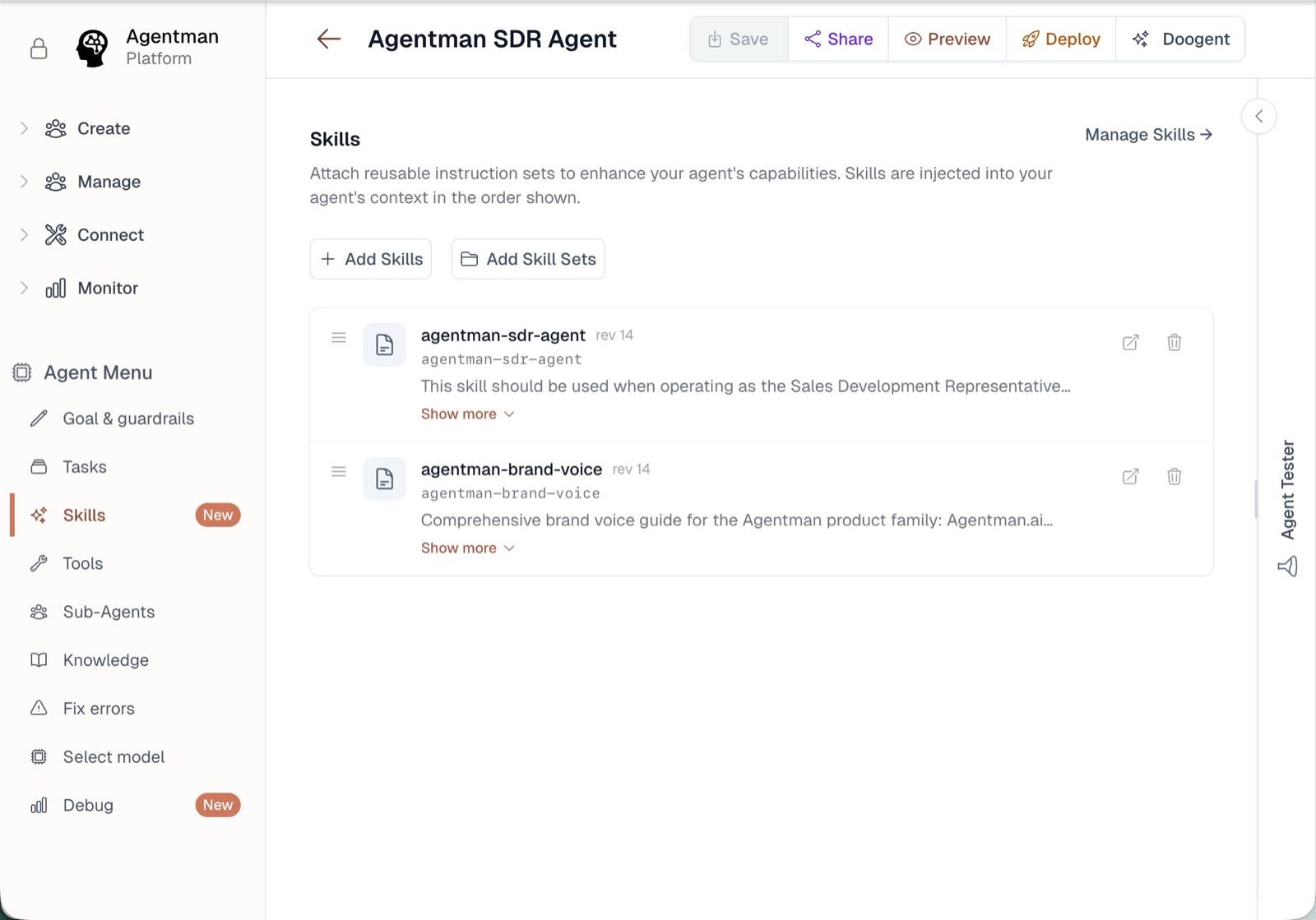
- Click Add Skills to attach individual skills, or Add Skill Sets to attach a whole bundle at once.
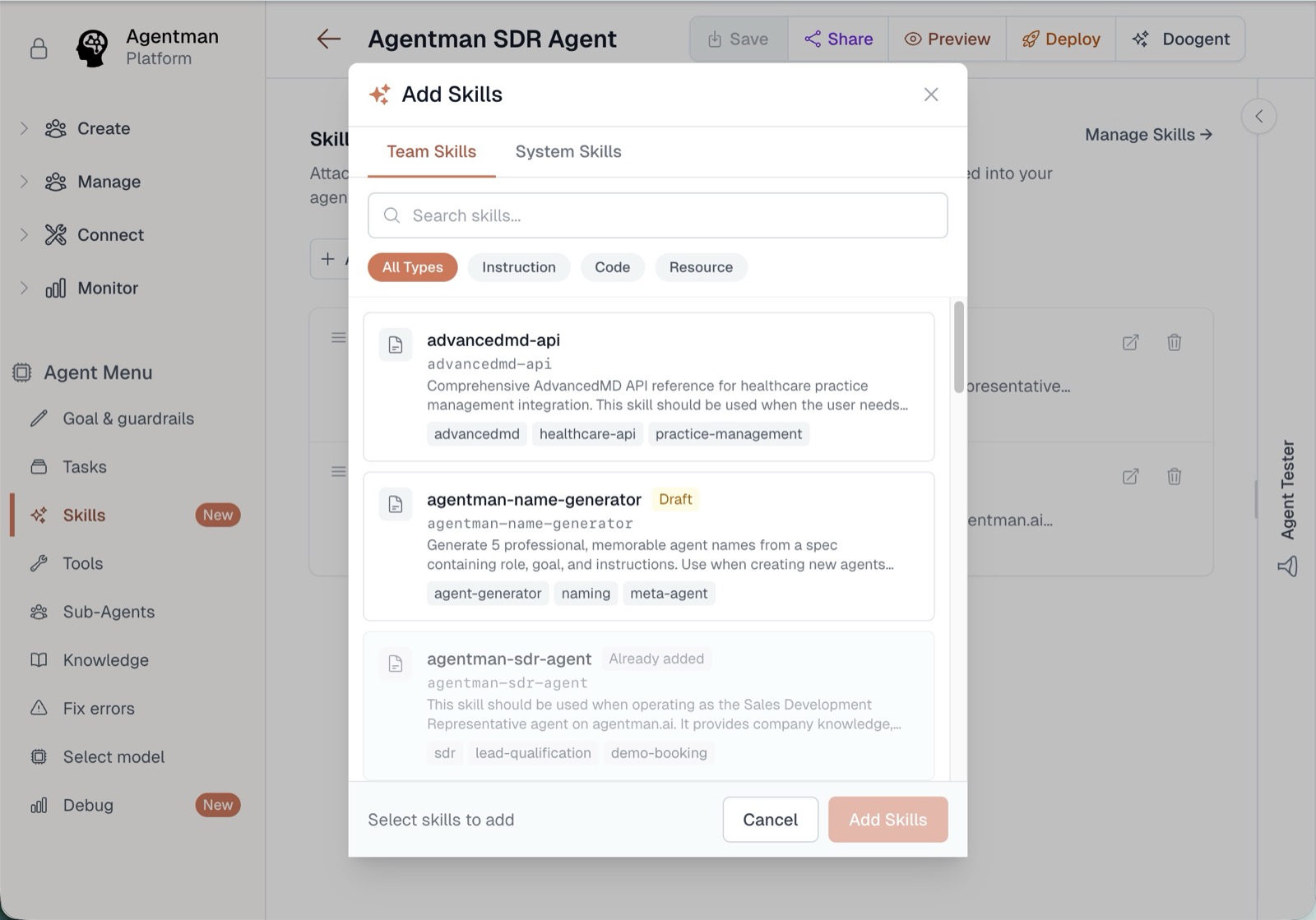
- In the picker, switch between Team Skills and System Skills, search or filter by type, and select one or more. Skills already on the agent show as Already added. Click Add Skills to confirm.
- Back on the tab, remove any the agent shouldn't use, and reorder them to control priority.
- Click Save — the agent uses the attached skills from its next run.
You can attach any skill you're allowed to at least use — including use-only skills, whose instructions the agent applies without exposing them to you.
Let the wizard recommend
When you create a new agent, the creation wizard recommends skills semantically matched to the agent's goal — describe what the agent is for, and the skills that encode that work surface automatically. Accept the relevant ones instead of hunting through the library.
Attach a whole set at once
If the agent needs a bundle — the deal-screening toolkit, the support pack — bind a skill set in one step instead of adding skills individually.
The payoff: improve once, everywhere
Agents track the published version of each attached skill. Improve the skill, publish, and every agent bound to it picks up the update — no per-agent editing, no drift between the playbook and the automation. (Draft edits change nothing until you publish; see the skill lifecycle.)
Availability
All plans. You can attach any skill you have at least use access to.