Use your Agent Skills in Claude Code, ChatGPT, and Cursor
You can use your team's Agent Skills in more than Claude. The same MCP connector works in Claude Code, ChatGPT, and Cursor — so the skill your team improved on Monday runs identically in every tool on Tuesday.
Using Claude on the web or desktop? Connect Agentman Skills from Claude's Connectors Directory instead — no URL needed. See Connect your library to Claude.
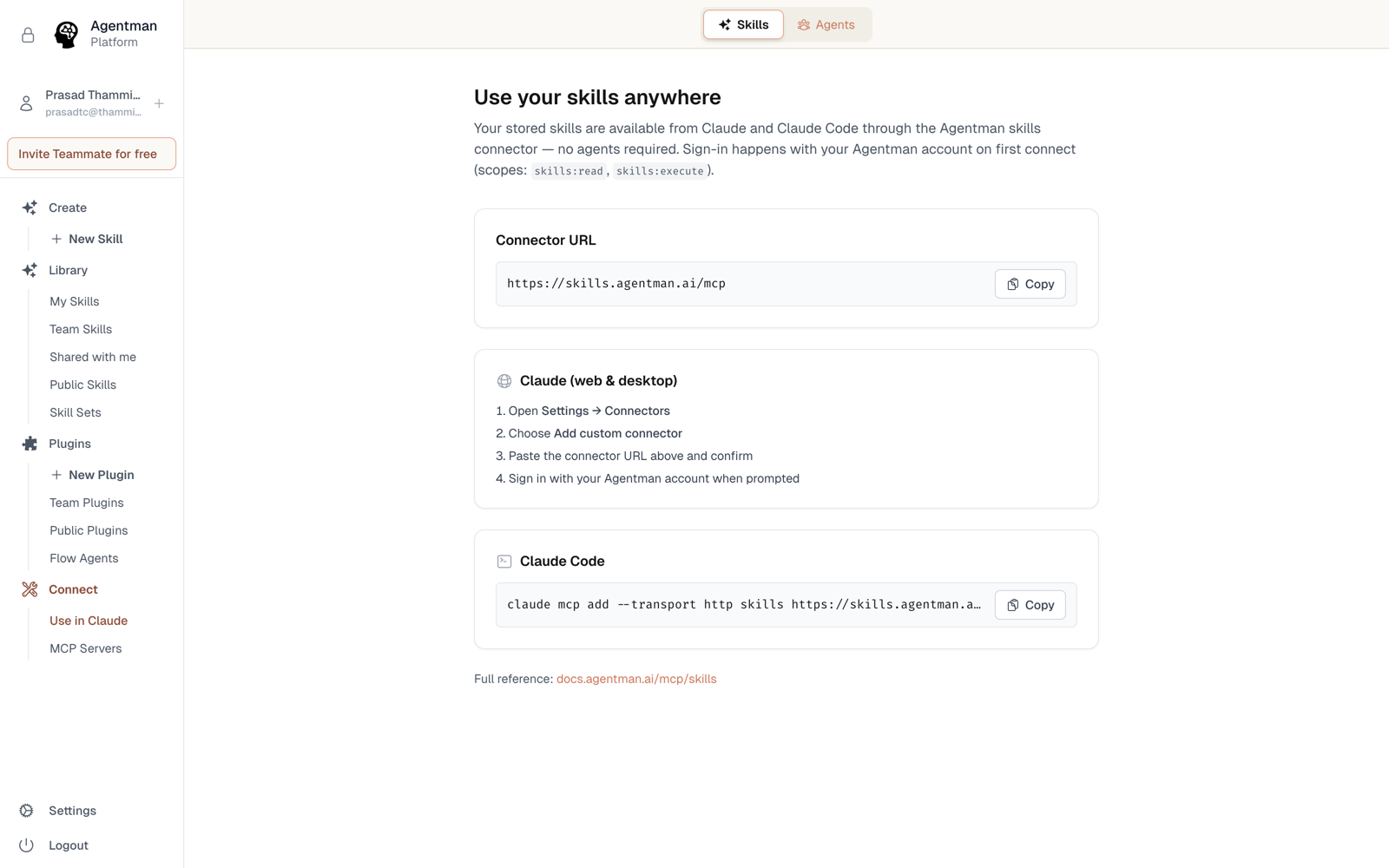
The other tools take a connector URL:
https://skills.agentman.ai/mcp
It asks you to pick a workspace when you sign in. To connect several workspaces at once, use each workspace's own URL instead — see below.
Claude Code
- In Agentman, open Skills → Use Your Skills Anywhere and copy the Claude Code snippet — it's a single
claude mcp add …command. - Paste it into your terminal.
- Authenticate when prompted. Your library is now available in every Claude Code session.
ChatGPT
- Add the connector URL in ChatGPT's connector settings.
- Approve the OAuth consent with your Agentman account.
- ChatGPT gets a dedicated interactive skills explorer, so you can browse and run the library visually in the conversation.
Cursor
- Add the connector URL to Cursor's MCP configuration.
- Authenticate with your Agentman account.
- Your skills — procedures, review standards, templates — are available while you code.
One library, every tool
Because every tool reads from the same library, there's no copy drift: improve the skill once, publish, and Claude, ChatGPT, Cursor, and your Agentman agents all pick up the new version. Permissions follow your login everywhere, including use-only redaction.
More than one workspace?
If your team runs a workspace per client, matter, or project, add one connector per workspace — each using that workspace's own URL (/mcp/acme, /mcp/globex, and so on). Your tool sees each as a separate connection, so several libraries stay available side-by-side without mixing. See Connect your skills library to Claude for how this works.
In Claude Code, the copied claude mcp add … snippet already names each server after its workspace, so two workspaces can sit in one config without clashing.
Availability
All plans. Each member connects each tool with their own account.