Your first day with queues
Availability: Practices with inbox queues.
Sample practice and sample patients. Captions are on by default.
Your practice now uses inbox queues. Instead of one long inbox, you see the work that is yours.
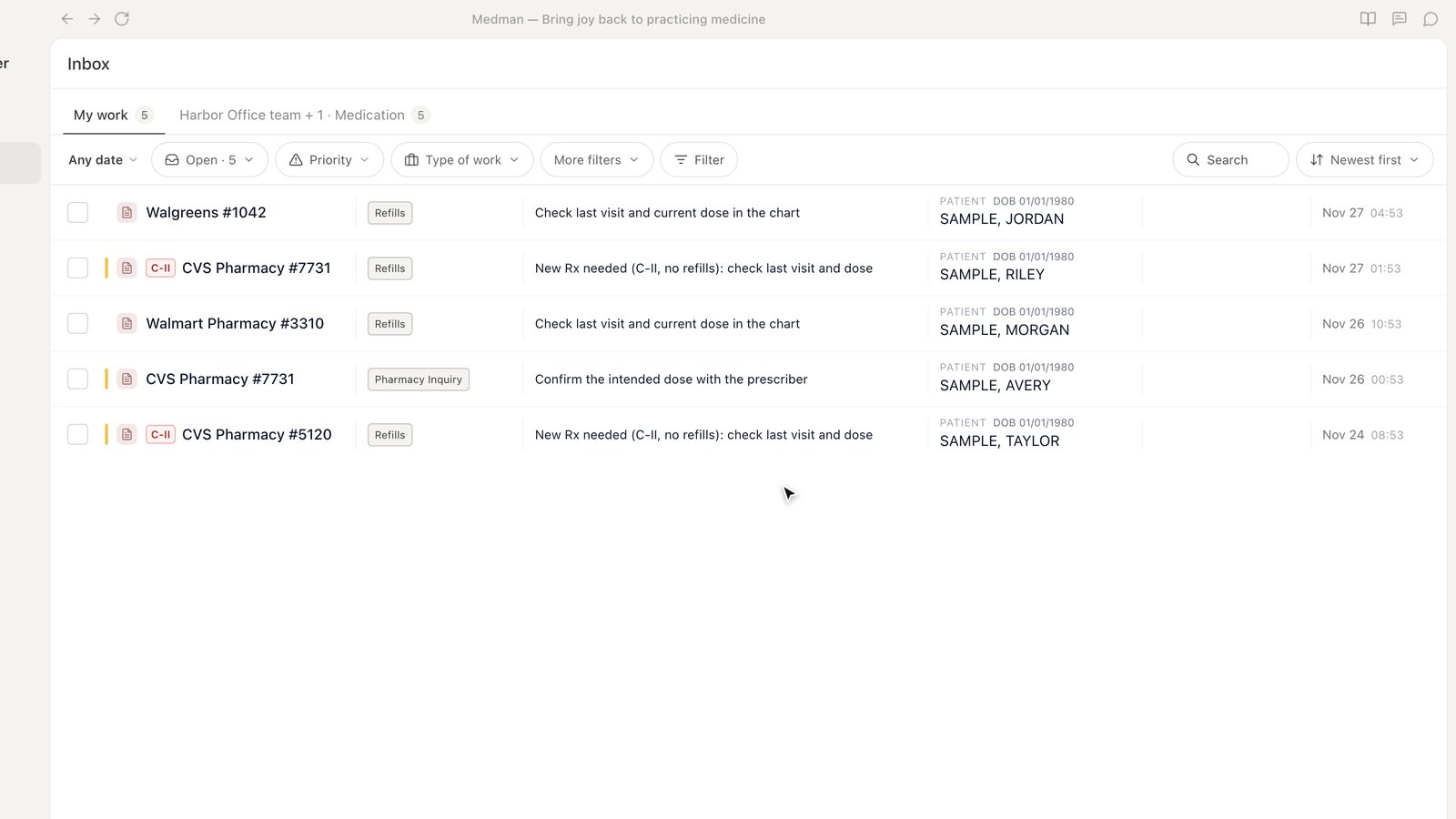
My work and your queues
My work is everything still open in your queues. The tabs next to it are your queues. Critical holds anything urgent.
Work an item
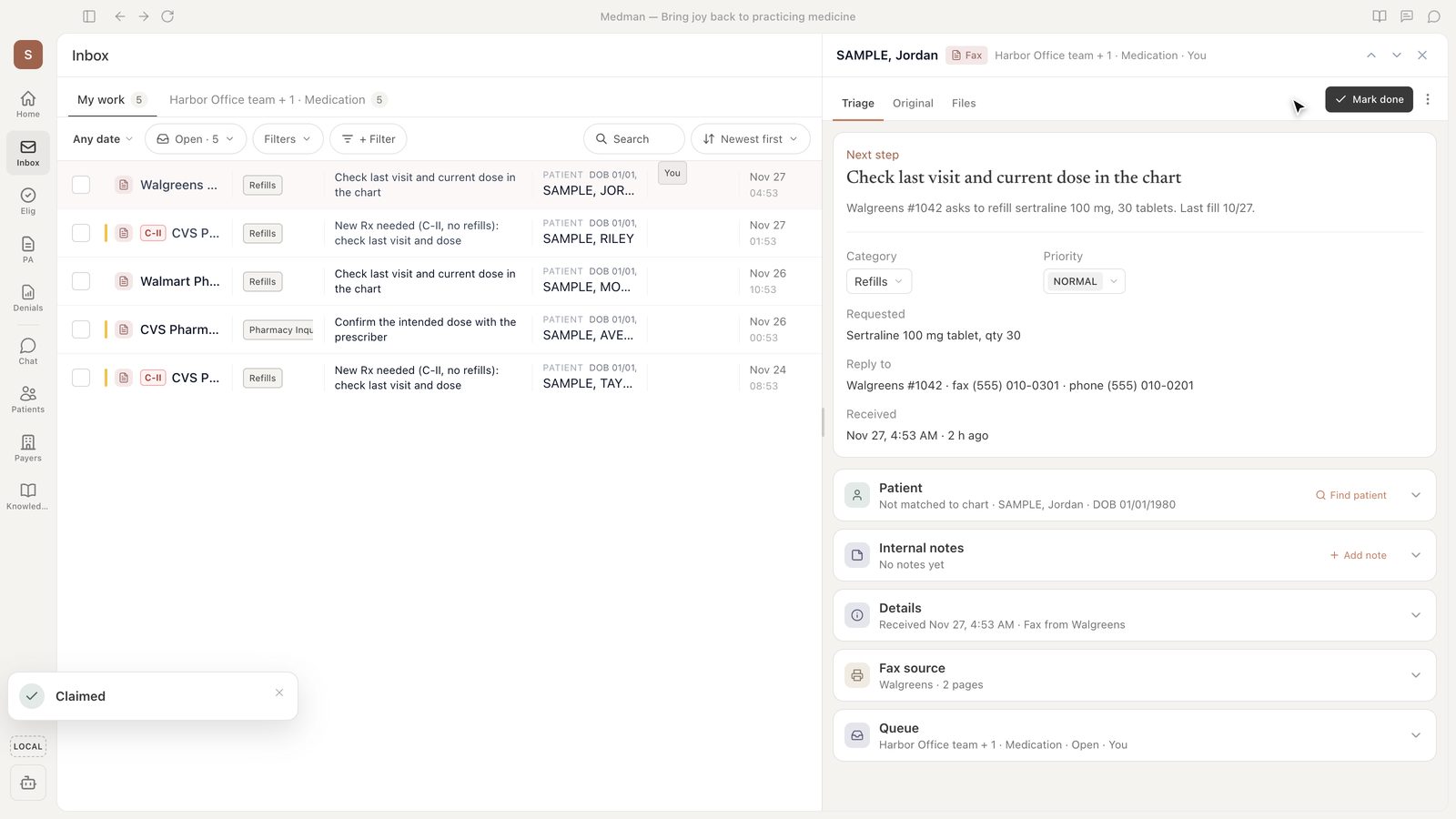
- Open it. Read the next step and who to reply to.
- Click Claim so your team knows you are on it. The item shows You.
- When it is handled, click Mark done. It leaves My work.
Home
Home shows your inbox at a glance: what is in your work, anything critical and what is new. This week shows what got done.