Turn queues on
Sample practice and sample patients. Captions are on by default.
Go to Settings › Inbox queues › Turn on.
1. Start preparing
Click Start preparing. Medman sorts every open message into a queue in the background. Staff see no change.
2. Old open messages
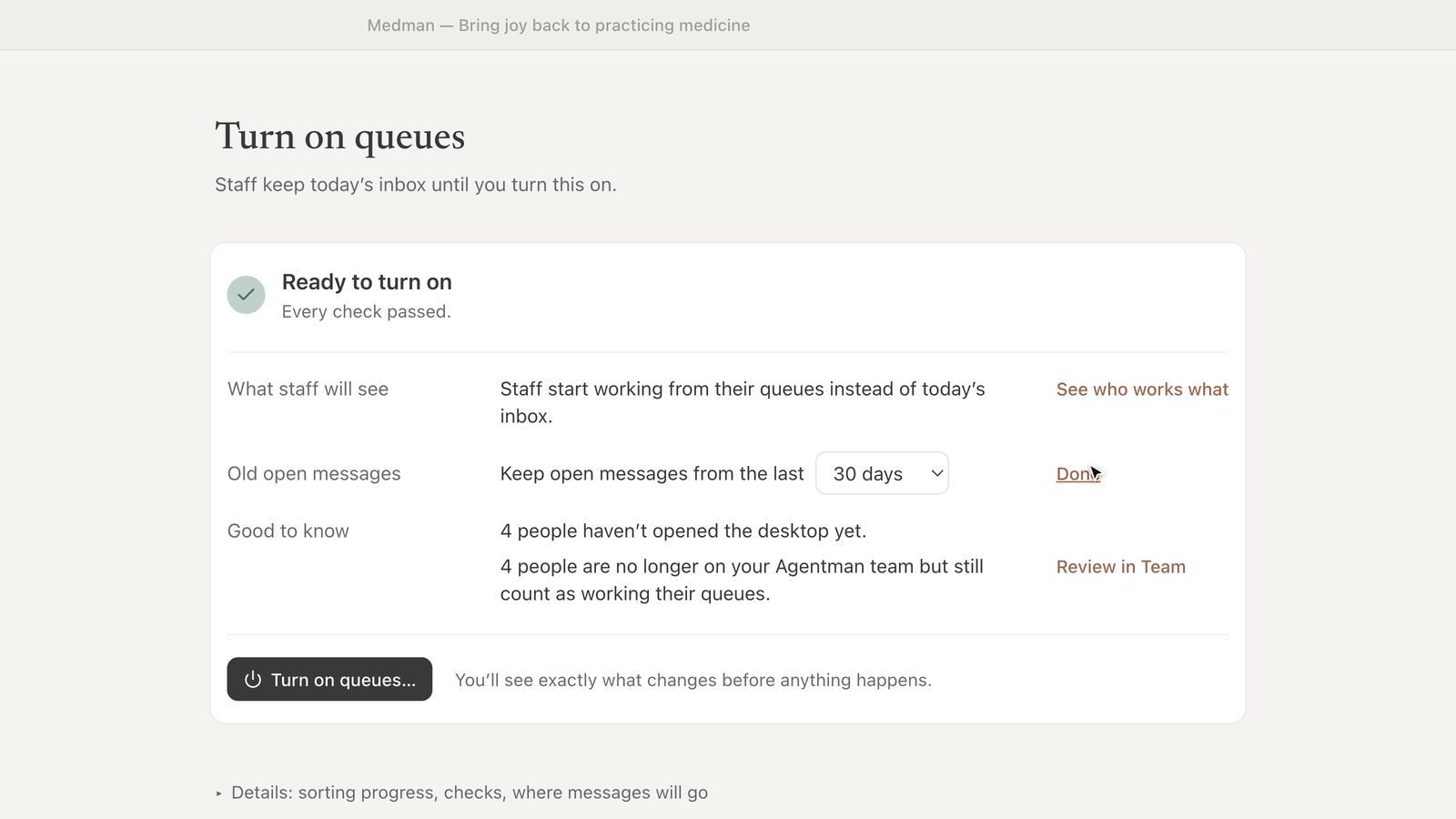
By default, open messages older than 30 days are marked done when queues turn on, so nobody starts with a pile. Click Change to keep more: from 7 days up to a year. Anyone can reopen a message later.
3. Check where messages will go
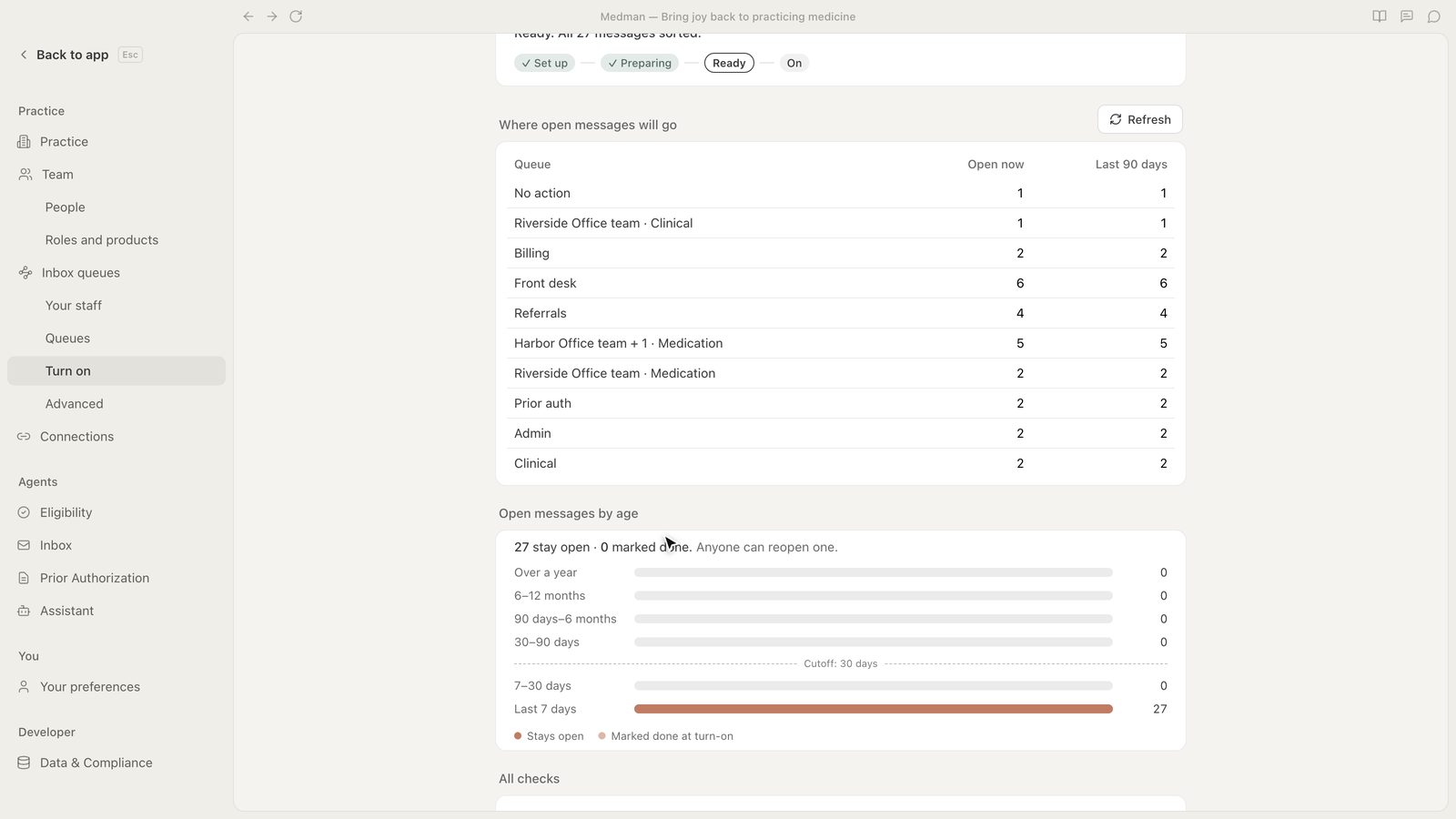
When every check passes, it says Ready to turn on. Open Details to see where open messages will go, queue by queue, and how many stay open.
4. Turn on
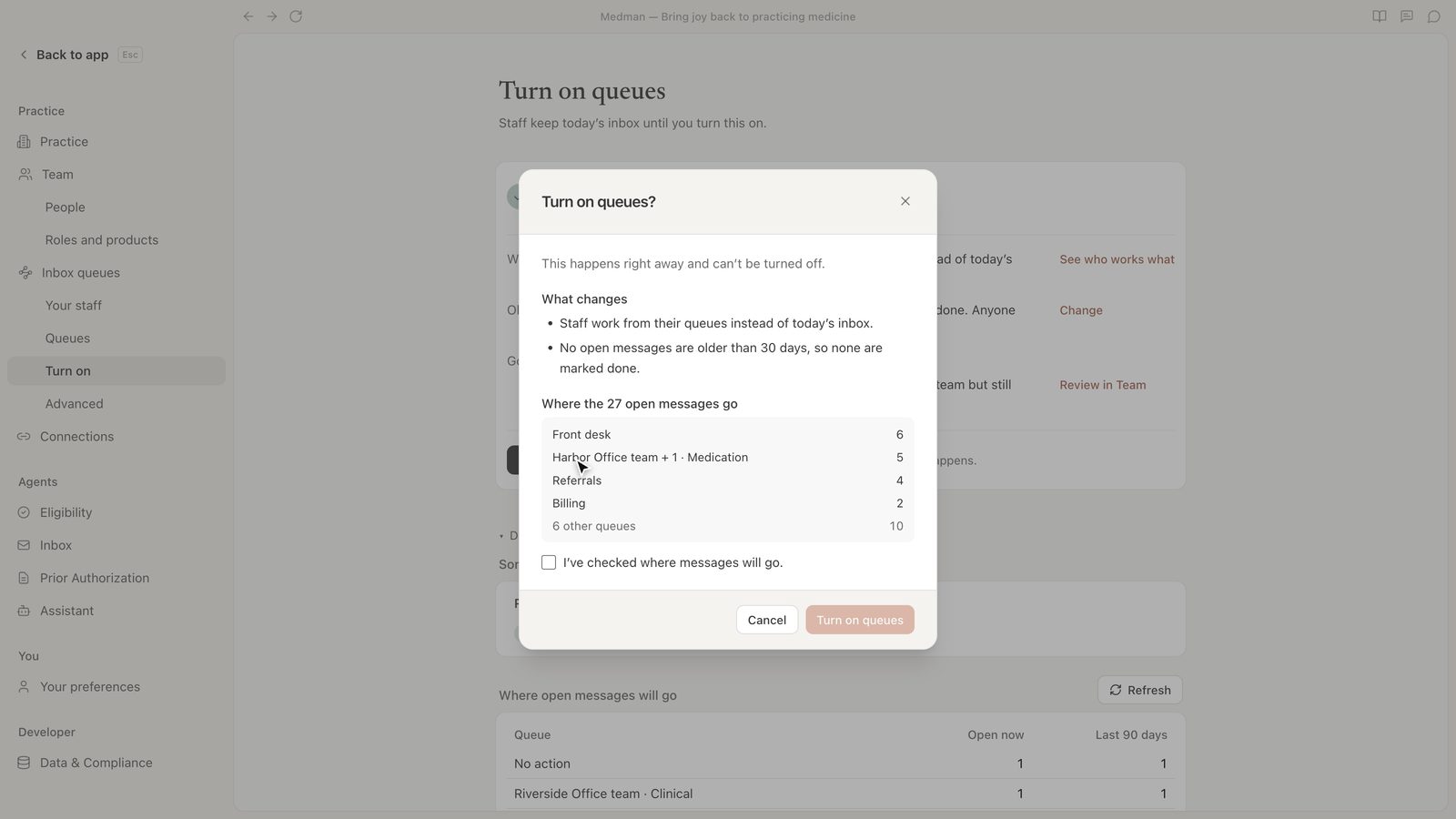
Click Turn on queues…. The confirmation shows what changes. Tick I've checked where messages will go, then turn them on.
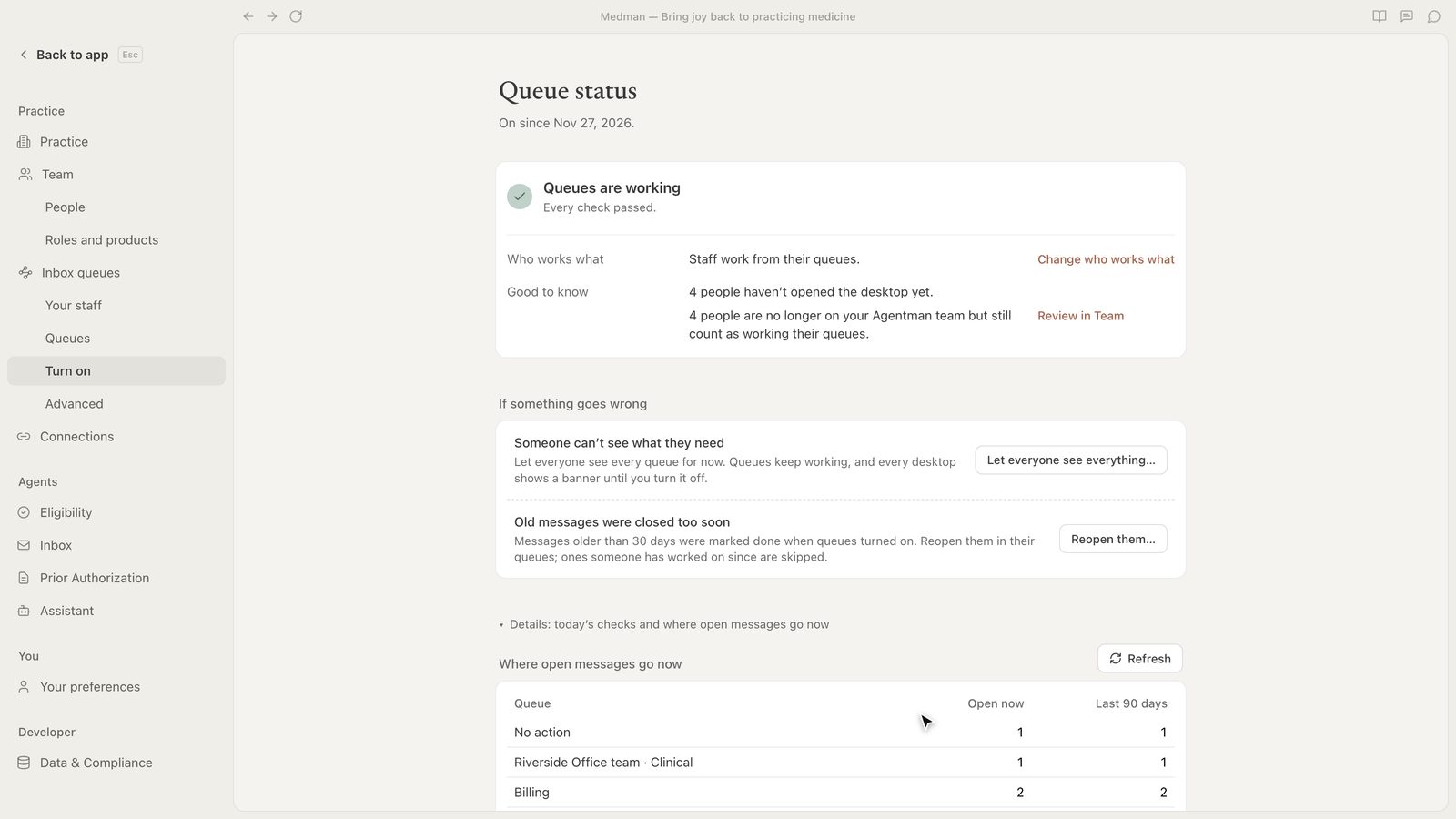
After
Queue status shows On. Under If something goes wrong, Let everyone see everything opens every queue to everyone while you fix a setup problem, and Reopen them brings back messages marked done at turn-on.