Reading an inbox item
Click an item in the list to open it on the right.
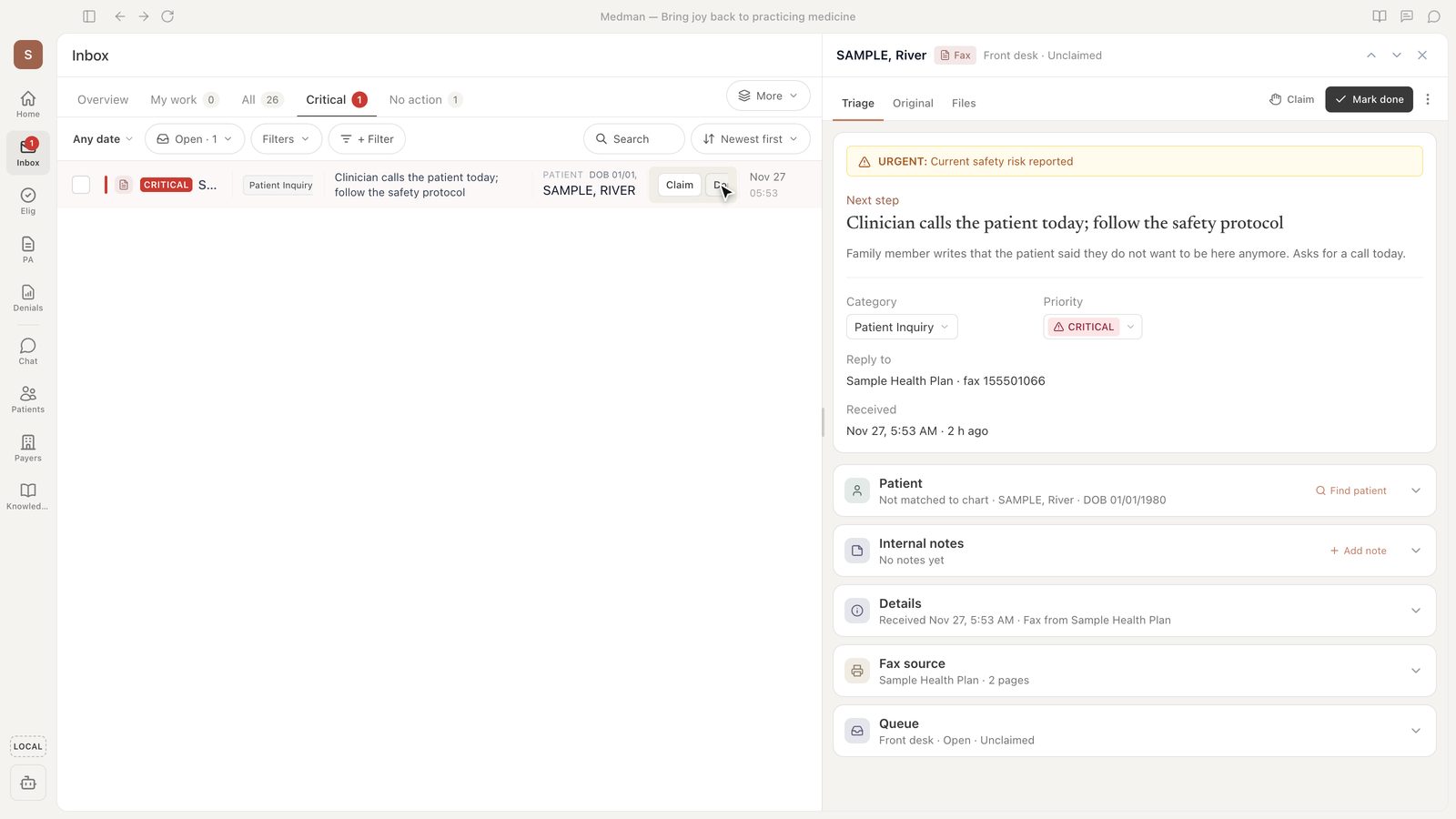
The tabs
- Triage: what Medman read: the next step, category, priority, requested, reply to and received.
- Original: the fax or message as it arrived.
- Files: attachments and pages.
Below the reading
- Patient: the matched chart, or Find patient to match it.
- Internal notes: notes for your team; the sender never sees them.
- Details: when it was received and where from.
- Fax source: the sender and page count.
- Queue: which queue the item is in, and who has claimed it.
Actions
Claim says you are on it. Mark done closes it. The ⋯ menu holds Assign, Move, Flag, Archive, Mark unread, Send to PA queue and Run eligibility check.