What is AI Inbox?
AI Inbox is Medman's inbox for your whole front office. Every fax, voicemail, portal message and email lands in one place. Medman reads each one before your staff do, and sends it to the person who handles it, with the next step written down.
Medman AI Inbox in 75 seconds. Sample practice and sample patients. Captions are built into the video.
The problem: the front office inbox doesn't scale
- Everything arrives in different places. Faxes, voicemails, portal messages and emails each have their own inbox, and someone has to open every item just to find out what it is.
- Urgent items hide in the pile. A critical lab, a refill that has run out or a hospital discharge sits in the same stack as junk faxes until someone gets to it.
- Work is handed out by sticky note. Or by whoever sees it first. Some items get done twice; some never get done.
- One person becomes the bottleneck. When the person who "owns the fax machine" is out, the inbox stops.
- Nobody can see the backlog. A manager can't tell who is overloaded or what has been sitting since yesterday.
- New staff take weeks to learn the routing, and with more than one location it's harder still.
What AI Inbox does
- One inbox for every channel. Faxes, voicemails, portal messages and emails, side by side. Where messages come from.
- Reads each item. It says what the item is, which patient it's about, how urgent it is and what to do next. What triage reads from each message.
- Puts critical items first. They go to the top, so they don't wait for someone to open them. Critical items.
- Routes the work. Queues send each item to the right person by the kind of work and the location, so everyone opens My work and sees their own list. Inbox queues explained.
- Lets your team claim items, so two people never work the same one.
- Learns from corrections. When someone fixes a category, priority or queue, the next answer gets better. Correcting triage.
What changes for your team
| Nothing slips | Every item is read, sorted and owned by someone. |
| Urgent first | Critical items surface on their own. |
| A fair split | Work is spread by role and location, not piled on one desk. |
| Coverage | Queues are shared, so when someone is out, the others on that queue still see the work. |
| Faster ramp-up | A new hire gets a work plan on day one. Plan work for new people. |
| Visibility | The manager sees the load and acts before it backs up. |
What happens to each message
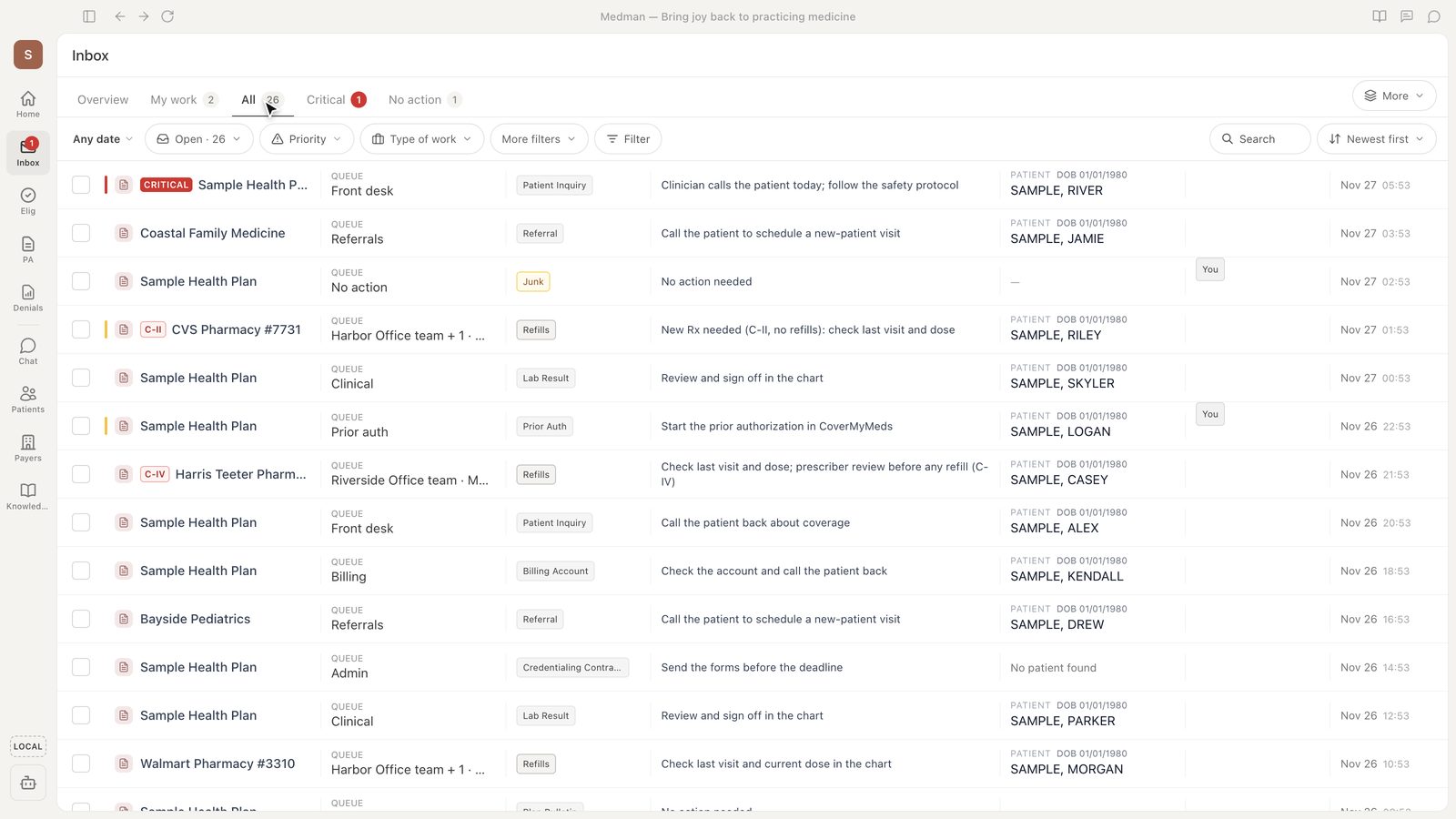
- Read. Faxes are read page by page, voicemails are transcribed, and portal messages and emails are read as they land.
- Named. Each item gets a kind of work (refill request, referral, records request, prior auth decision and so on) and a priority.
- Matched. The item is matched to the patient's chart on name and date of birth. A weak match is not guessed: a person confirms it.
- Routed. The item lands in the right queue with a one-line next step. Urgent items go to the top.
What AI Inbox does not do
Medman never approves a refill, answers a pharmacy, books or cancels an appointment, or submits anything by itself. It reads, sorts and drafts; a person on your team acts.